An online store never dies from a single flaw. It erodes, imperceptibly.
A filter that doesn't apply instantly, a form field with no label, a delivery promise nowhere to be found at the exact moment the customer looks for it: none of these details drives anyone away on its own, but together they end up costing more than a real outage.
We recently audited a French craft brand: average order value around €325, a superb product, healthy traffic.
Its returning customers converted at 3%. New visitors: 0.3%. Ten times less, with no broken page anywhere. At every step, it simply lacked a little reassurance, a little proof, a little guidance. And that "little," multiplied across every step of the journey, divided conversion by ten.
The problem for brands is almost never a lack of optimization ideas. What's missing is a hierarchy: where to start, and how much it costs. Without one, optimization becomes an endless shopping list that no one ever finishes.
This checklist grew out of that observation, through our audits of Shopify stores and the many tests we've run.
194 checkpoints covering the entire purchase journey, each scored on two axes: its estimated impact on conversion and its cost to implement.
Why a scored checklist (and not yet another list of best practices)
Most CRO checklists available online share the same flaw: they put "add a CTA above the fold" and "rebuild your internal search engine" on the same level.
The first ships in an hour, the second takes a quarter of development work, and treating them as equivalent items condemns the audit to staying theoretical.
So each point carries two scores, from 1 to 3: impact on conversion and cost to implement. Cross the two, and prioritization almost does itself.

The quick wins (impact 3, cost 1) are the first wave of any audit. The checklist lists about thirty, including:
- showing a CTA above the fold on the homepage,
- stating the value proposition clearly,
- placing the product price next to the main CTA,
- stating the model's size and the size they're wearing on fashion product pages,
- removing every outbound link from the checkout,
- or visually distinguishing required fields from optional ones.
For a sense of scale: one of our most profitable tests was adding a row of reassurance icons under the CTA on a product page. Half a day of work, +17% conversion.
The major structural projects (impact 3, cost 3) require a trade-off:
- internal search with autocomplete,
- multi-criteria filters that apply instantly,
- cart persistence across sessions,
- split payments.
These are often the most powerful drivers, and they're planned over a quarter, not a sprint.
The rest (impact 1 or 2) feeds the backlog. You come back to it once the first two categories are done, or when an A/B test on a specific area needs variants.
You don't fix everything. You sequence. (Your development team will thank you.)
The 7 audit areas
The checklist breaks the journey into seven areas. Each will get its own detailed guide in this series; here, for each area, are the key issues and the highest-impact checkpoints.
1. Cross-site foundations
Before auditing any page, you audit what runs through all of them: load speed, navigation, header, footer, internal search, cart widget. A perfect product page won't save a site that takes four seconds to load.
Highest-impact points:
- Pages load fast, mobile first.
- A top bar offers reassurance or an offer, with a clear CTA.
- The site has a search engine, ideally with autocomplete. Internal search alone deserves ten checkpoints in the checklist, and its own article in this series.
- The cart widget is accessible at the top of every page and shows a free-shipping incentive.
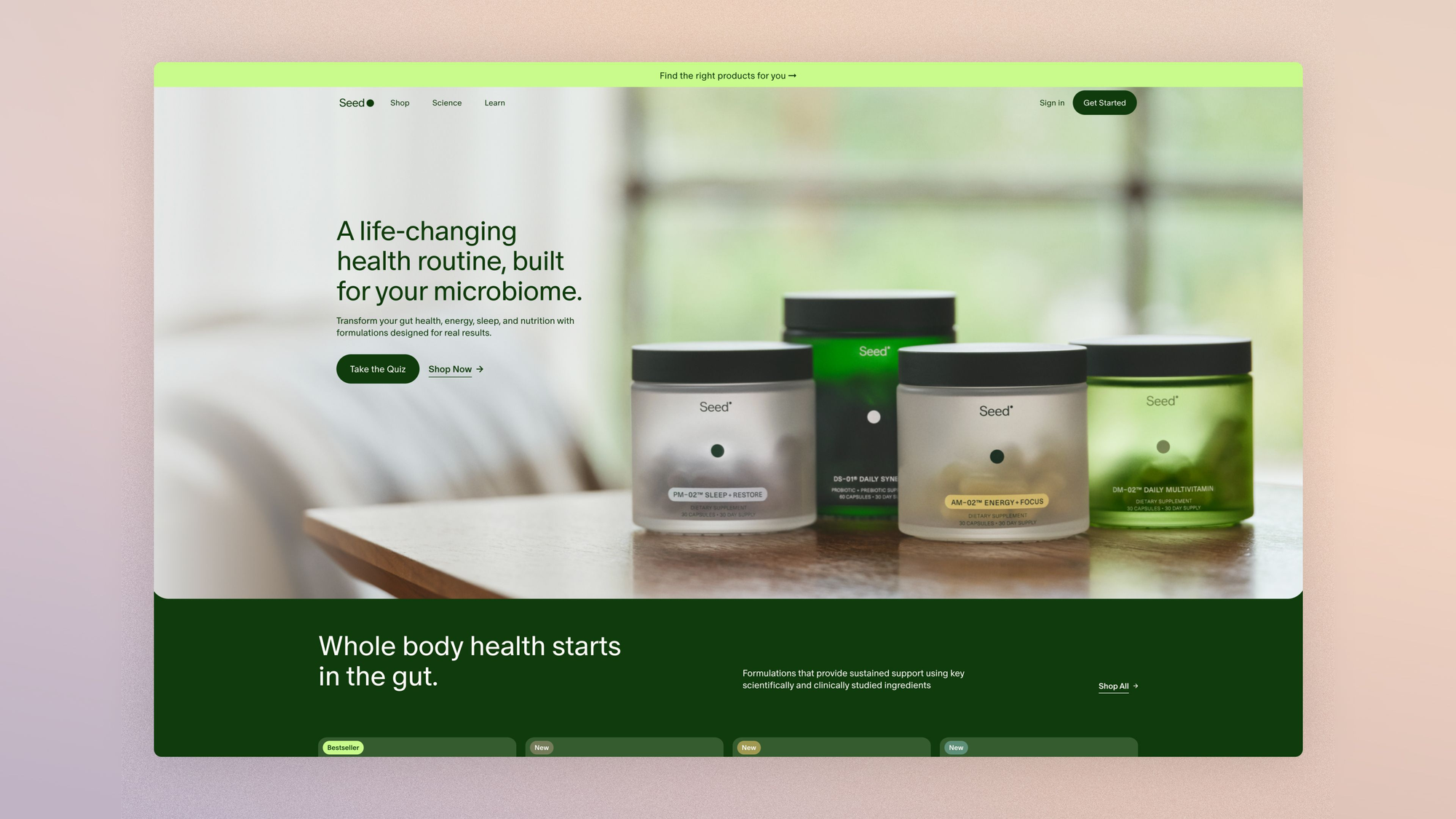
2. The homepage
Someone landing on your homepage is looking for two things: to understand what you sell, and to find where to click.
At the craft brand mentioned above, the French homepage sent 17.9% of its visitors to a product page; the English version of the same site, 32.5%. Same products, same brand. Only the merchandising at the top of the page differed. Nearly fifteen points of difference, which no glance at the site would have revealed.
Highest-impact points:
- The value proposition is clearly stated, above the fold.
- At least one CTA is visible without scrolling.
- Categories and best sellers are accessible right from the top of the page.
- Social proof is showcased: verified reviews (Trustpilot, Avis Vérifiés), press mentions, customer-generated content.
3. The collection page
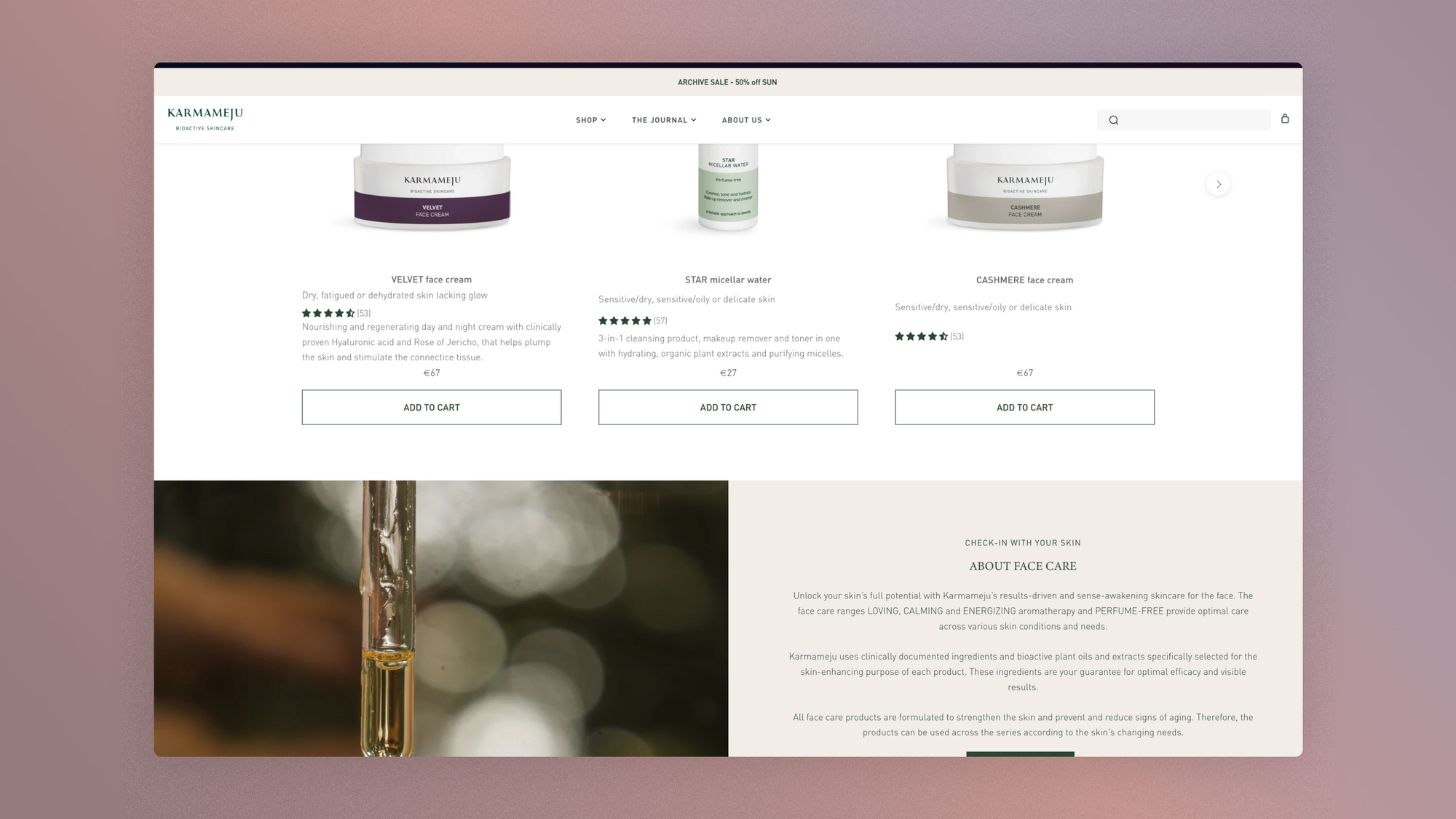
The collection page is a sorting machine: getting each visitor to the right product page with as little friction as possible.
On most of the stores we audit, it's also the page type that converts the worst. Eight checkpoints are devoted to filters alone.
Highest-impact points:
- Filters are consistent with each collection, stackable, and apply instantly.
- Active criteria stay visible and can be removed in one click.
- The position in the list is kept when returning from a product page. Losing context on return is one of the most underestimated frictions in e-commerce.
- Product cards show available variations and key information without an extra click.
4. The product page
The densest area of the checklist, with nearly forty checkpoints spread across the buy box, gallery, description, social proof and marketing drivers. The dedicated guide in this series will go into great detail; in the meantime, here is where the purchase decision runs through.
Highest-impact points:
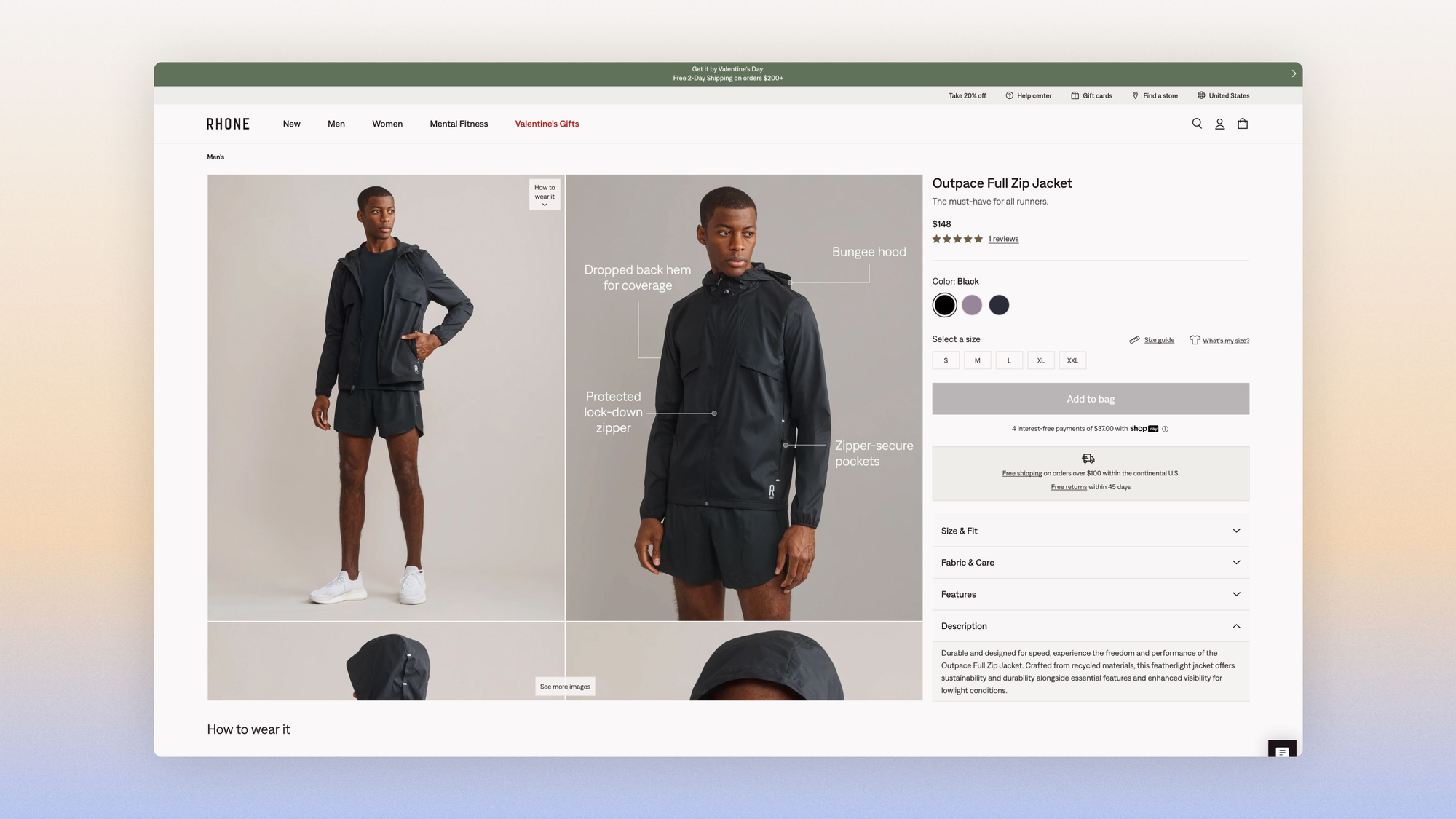
- The price is close to the main CTA, additional fees included, and delivery information (cost, timing) is visible without scrolling.
- The main CTA is the most visible element on the page and changes state when the item is added to the cart.
- A size guide sits next to the size selector, and the description mentions the size the model is wearing.
- Customer reviews are summarized near the title and linked to detailed, filterable reviews further down the page.
5. The cart
Many brands design their cart like an administrative summary. Yet it's the last sales page on the site.
Highest-impact points:
- The subtotal, estimated taxes and discount amount are shown near the main CTA. Surprise costs at checkout are the top reason for abandonment reported in studies by the Baymard Institute.
- The CTA label describes what will happen ("Proceed to secure payment").
- A free-shipping incentive above a set threshold is highlighted, and reaching it is celebrated.
- The cart stays active when the user returns to the site.

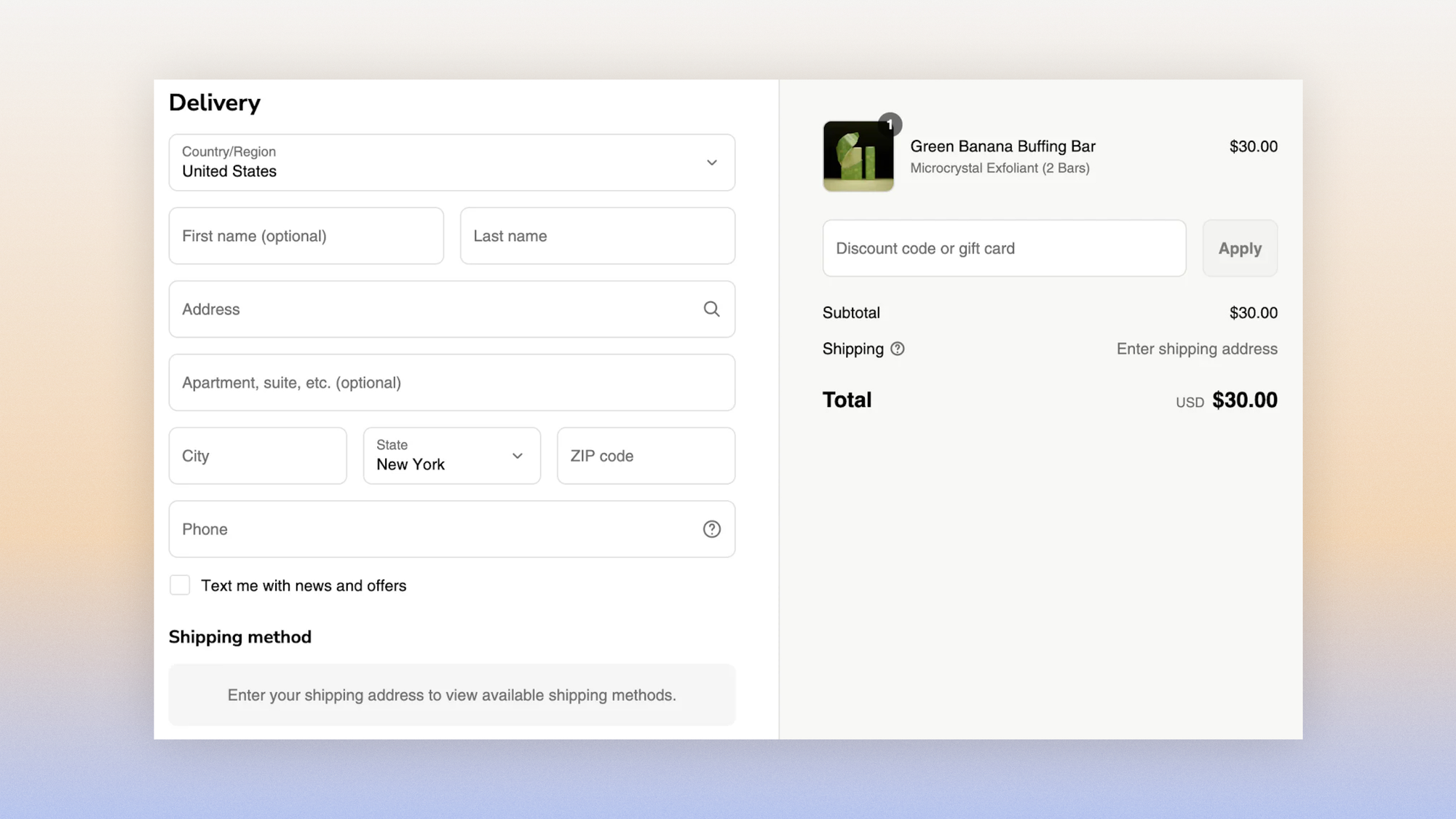
6. The checkout
The Baymard Institute puts the average cart abandonment rate at around 70% (a meta-analysis of about fifty studies), and estimates that a large e-commerce site can gain roughly 35% in conversion from improving its checkout design alone.
Highest-impact points:
- The checkout contains only strictly necessary fields, in a single column, with permanent labels (not just placeholders).
- No outbound links: no clickable logo, no navigation, no footer.
- Guest checkout is possible.
- Email is the first field requested, so abandonment follow-up flows can be triggered.
7. Post-purchase
The confirmation page is the most profitable page on the site and the least worked on. The customer has just paid: trust is at its peak, and almost no one does anything with it.
Highest-impact points:
- The page confirms without ambiguity that the order is complete and shows a summary.
- Delivery information (timing, carrier, tracking) is immediately accessible.
- A discount code for a future order, or an upsell shipped with the current order, turns the confirmation into the starting point of the next order.
How to run the audit
Before the first pass, there's one check we've learned never to skip: does your data tell the truth?
On a recent audit, GA4 showed a checkout progression rate of 130%. That's impossible, so it's instructive: duplicated events, in-store purchases reported as online sales. A checklist filled out on bad data produces bad priorities.
Read also:
 Rémi Migliasso
First pass, then: the inventory. Zone by zone, each point gets a status: applied, not applied, to be analyzed. Allow half a day for a standard Shopify store, and be honest: "half applied" means "not applied."
Next comes prioritization. Filter the not-applied points by decreasing impact, then by increasing cost: quick wins form your immediate backlog, and structural projects go into the quarterly roadmap.
Third step, executing the obvious fixes. A checkout without field labels, a cart that empties between sessions, a collection page that loses its position on return: these are defects. You fix them without running a test.
What remains is everything that's a choice:
- urgency drivers,
- social proof placement,
- CTA wording,
- free-shipping threshold.
These points get framed as testable hypotheses, and experience has taught us not to take them on faith.
We once launched, confident we were right, a test offering free shipping from €300 for a brand with a high average order value. The hypothesis ticked every box of common sense. Add-to-cart rose 2.6%; conversion fell 24%, and average order value fell 36%. The obvious answer was wrong, and only the test caught it.
Each guide in this series will turn its checkpoints into hypotheses ready to feed your testing program.
And then you start over: one full pass per quarter, one targeted pass after every redesign or new feature.
Read also:
 Robin Marzin
FAQ
What is an e-commerce CRO audit?
A CRO (Conversion Rate Optimization) audit is the systematic evaluation of an online store against a set of best practices, to identify the friction that keeps visitors from buying.
A complete audit covers the entire journey, from the homepage to the confirmation page, and produces a backlog of actions prioritized by impact and cost.
How many checkpoints do you need to review?
This checklist lists 194, spread across seven areas: cross-site foundations, homepage, collection page, product page, cart, checkout and post-purchase.
The product page is the densest area with nearly forty points, followed by the checkout with about thirty.
Do you need to fix everything before running A/B tests?
No. Objective defects (forms without labels, a cart that doesn't persist, navigation errors) get fixed without a test.
Design and copy choices get tested. Running A/B tests on a store whose fundamentals are broken amounts to measuring noise: fix first, test after.
Get the complete checklist
The 194 checkpoints are available in a duplicable Notion database: each point is documented with explanations, visual examples and its impact and cost scores. It's reserved for Conversion Club members.
Access the checklist:
 Jérémie Werner
The seven detailed guides in this series will come out over the next few weeks. We're starting with the product page.