Site search is the only place on your site where shoppers spell out exactly what they want. No click to interpret, no scroll to model: a sentence. "Silk dress," "men's linen shirt," "return package."
People who type a query aren't discovering your catalog. They're summoning it. They know what they want, they tell you in their own words, and they expect the answer to match the question.
On the French craft brand from our previous article, the page with the most revenue potential was the worst-performing page on the site: just 5.1% of visitors went from the search page to a product page, and 92% bounced.
Visitors who asked for exactly what they wanted were the ones we lost fastest. A broken search engine doesn't drag down an average. It wastes your best buying intent, one shopper at a time.
This guide is the fifth in our CRO audit series, built on our checklist of 194 checkpoints, ten of which cover site search alone.
The method stays the same: checkpoints scored by impact and cost, and hypotheses ready to drop into your testing program. It's the least-audited area of French ecommerce, and that's exactly why it pays off.
The search bar: exist before you answer
Before judging the quality of the engine's answers, the audit checks that shoppers can ask it a question.
- The site has a search engine. That sounds trivial, but it isn't for small-catalog stores that removed it in the name of minimalism. Once you have a few dozen products, having no search forces everyone through the funnel of collections.
- Search is identifiable by a magnifying glass icon, a convention nobody needs to learn.
- The input field is wide enough to show the entire query. A query you can't reread is a query you can't correct.
- The Enter key triggers the search. An implementation detail, a universal reflex.
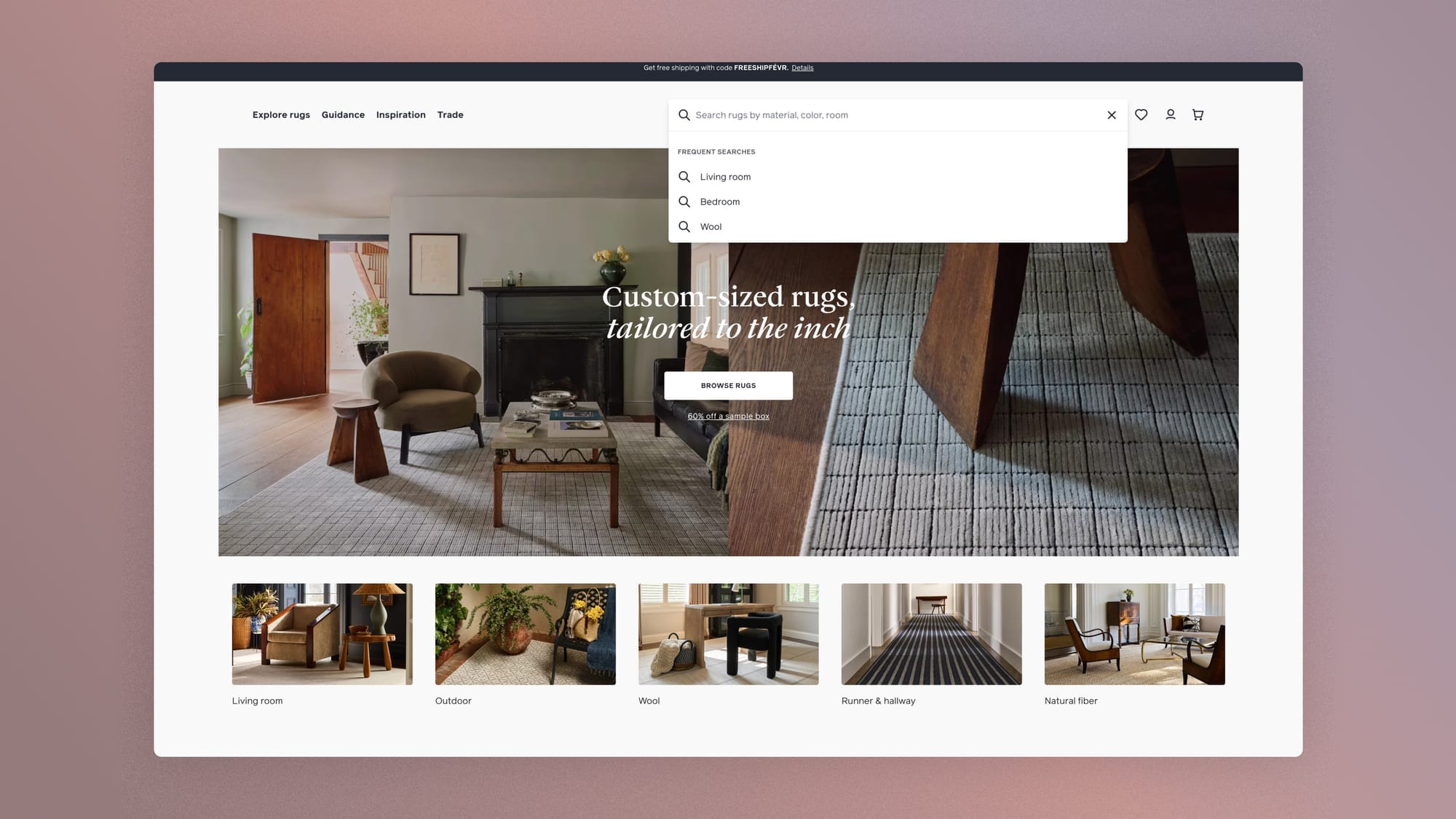
Beyond the checklist, two design decisions deserve attention.
On mobile, the choice between an icon alone and an open field comes down to usage. If search drives a significant share of visits, the store deserves an always-visible field, not an icon to tap open.
And the field's placeholder is free microcopy space. "Search" says nothing. "Search by fabric, cut, or color" teaches shoppers what the engine can do.
Also read:
 Jérémie Werner
If the magnifying glass icon is replaced by an always-open search field in the mobile header, then search usage will increase, because a visible field is an invitation, while an icon is a response to an intent that's already formed.
Autocomplete: answering while the question is still being asked
Autocomplete is the most expensive checkpoint in this area (impact 3, cost 3 in our scoring grid), and the one that changes the nature of the tool most: without it, the engine answers; with it, the engine converses.
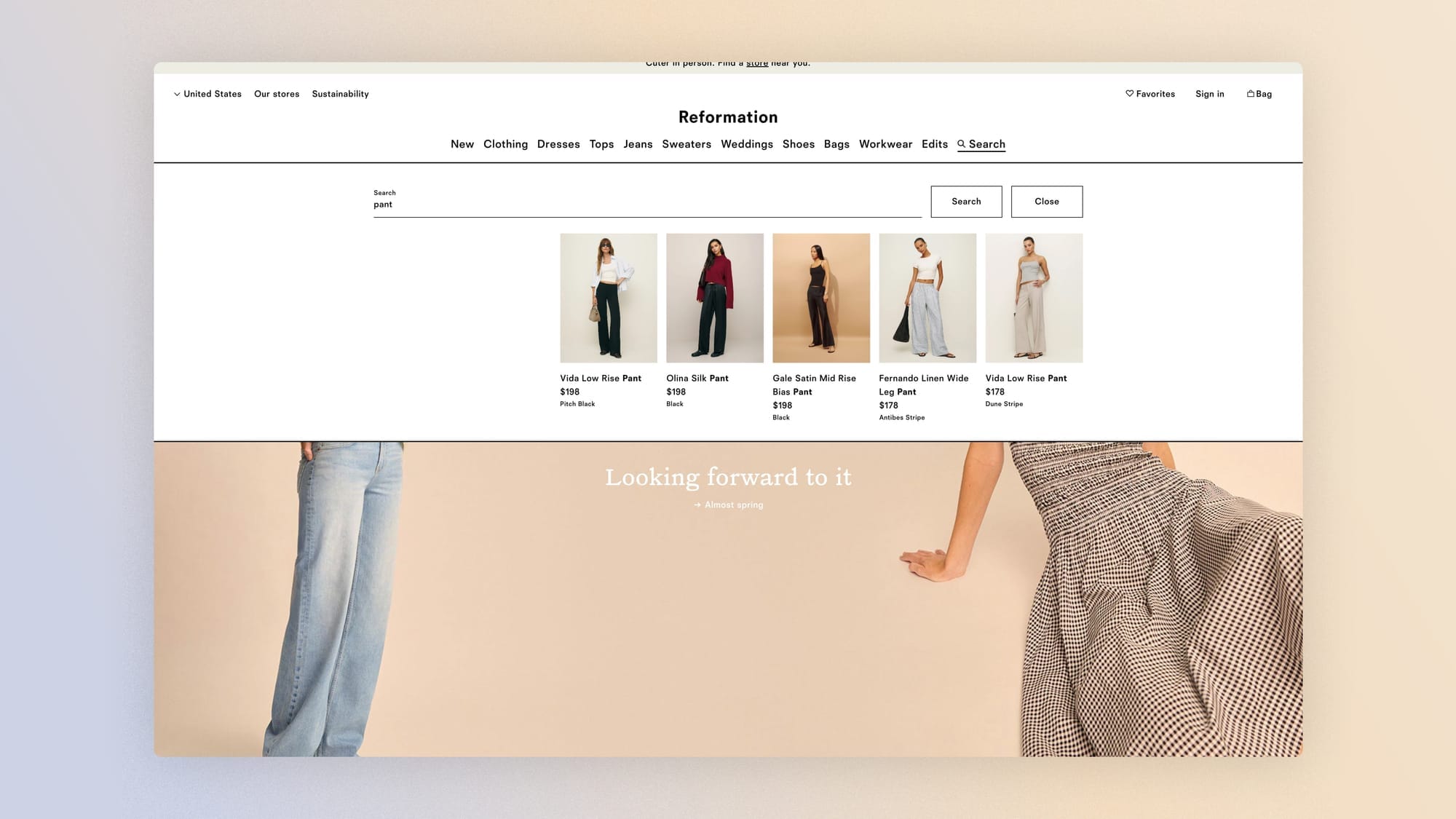
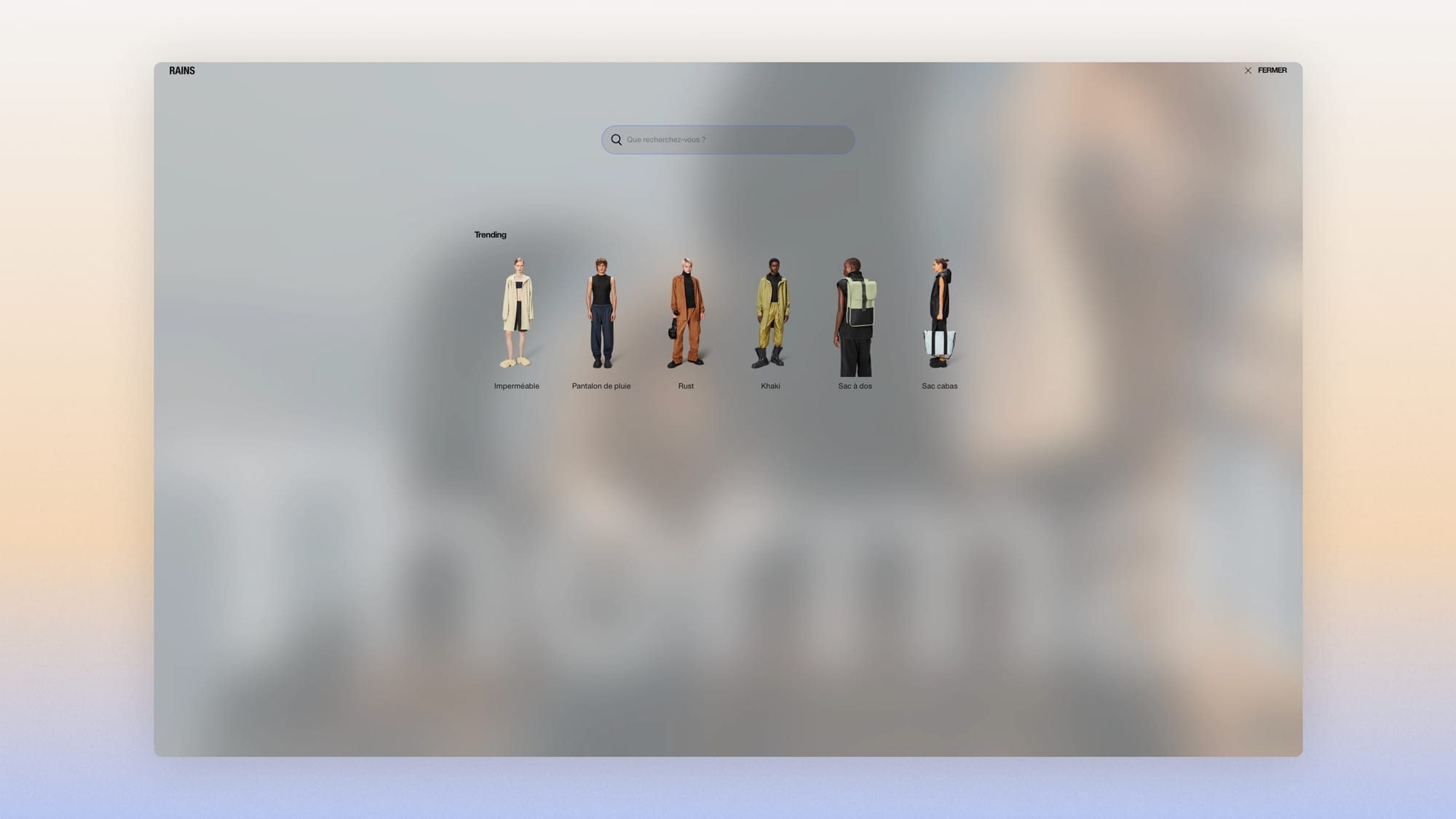
- The engine offers autocomplete: query suggestions from the first few characters and, ideally, products right in the dropdown, with image and price. Every product shown there is a click that saves an entire page.
- The most frequent searches appear as soon as the field is focused, before the first keystroke. The store shows what people ask for most, and undecided shoppers get a starting point.
- Personal search history is saved. Someone coming back to find "that dress from the other day" should never have to retype the query.
One technical detail that surprises people: on Shopify, the semantic search described below doesn't apply to autocomplete, which still runs on classic matching logic. Your predictive suggestions therefore depend on the dictionary and the settings, even when the main engine has moved to AI.
If autocomplete shows products (image, name, price) in addition to query suggestions, then the search-to-product-page rate will increase and session time will decrease, because some searches will find their answer before the results page.
Your customers' language: the real work
This is the heart of the matter, and the reason a third of searches fail. The data from the same Baymard study on the search engines of the biggest US sites is brutal: 70% can't handle a synonym for a product type (they demand the site's exact jargon), and 34% fail on a single typo or a model number.
In fashion, the problem is structural, because the brand's vocabulary and its customers' vocabulary diverge by design.
You sell "knitwear," she searches for a "sweater."
You say "pumps," she types "heels."
You write "raw denim," she writes "jeans."
Each of these gaps is a lost sale with perfect intent, and none of them shows up in your dashboards until you read the queries.
- Search offers spelling correction: "silk dres" finds silk dresses, no comment needed.
- Semantic search is enabled when the store is eligible. Since 2024, Shopify has opened it to Shopify, Advanced, and Plus plans through the Search & Discovery app (catalogs under 200,000 products). The engine understands intent beyond exact words, and "something warm for winter" can find your coats without a single synonym being declared. That changes the order of operations in the audit: first check what the semantic engine already solves, then treat the manual dictionary as the layer that handles what no AI can guess, your brand vocabulary.
- Catalog synonyms remain an asset for that remainder: a living dictionary, enriched from real queries and declared in Search & Discovery with no development work.
- Non-product queries get a useful response: "shipping," "returns," and "my order" should lead to the matching content pages, not to zero dresses found.
This dictionary also has a second beneficiary, and it doesn't type into your search bar.
The words your customers use at the counter are the same ones they use with an AI assistant, and the vocabulary learned here ("sweater," not "knitwear") is what should flow into your product pages and collections so you show up in generative answers.
We detailed how this works in writing for humans and for AI agents; site search is where you learn this vocabulary for free.
If we enable semantic search and then replay last quarter's 50 zero-result queries, then the zero-result rate will drop before any manual work, and the queries that survive will point to the real brand-vocabulary gaps to fix in the dictionary, because the engine now absorbs generic language variations and leaves to humans what belongs to brand identity.
The results page: a collection with higher stakes
A results page is a collection page whose title is the query. The whole audit from the collection page guide applies: complete product cards, sorting, grid, and a back button that keeps your position. Search adds its own requirements.
- The page offers ways to refine the query: the collection's filters, applied to the results. A search for "dress" followed by a "silk, size 38" filter is the most efficient path on the site. Making it impossible forces shoppers to choose between two tools that should work together.
- The query stays visible and editable at the top of the page, with the number of results next to it. You fix a question, you don't ask it again, and "43 results" immediately tells you whether to refine or start browsing.
- The order of results owns its logic: relevance first, merchandising second. A results page sorted like a collection (best sellers first, relevance second) betrays the question that was asked.
- Search boosts are maintained. Search & Discovery lets you push products to the top of results for given queries. It's a powerful merchandising driver and a maintenance trap. A boost left on from a past campaign, now surfacing an off-season or delisted product, breaks the engine's promise, and it's invisible in dashboards. Note that Shopify handles stockouts natively (sold-out products are pushed to the end of results and boosts only apply to available products), but the inventory of your active boosts still has to be audited by hand, every season.
Zero results: the broken promise
The collection guide covered this for filters. Search adds its own version, even worse, because the broken promise is explicit: you asked, and you got nothing.
The results page offers alternatives when there are no results: suggestions for similar queries, related categories, popular products, query correction.
As early as 2015, the Baymard Institute found that 88% of mobile sites serve a zero-result page with no contextual help at all, a generic dead end. Their most useful observation: in testing, even mediocre suggestions beat no suggestions, because an imperfect path is better than no path.
And zero results has a second life, more valuable than the first: it's data. Your list of no-result queries is the list of what your customers want and you don't sell, or sell under another name.
The first reading feeds the synonym dictionary. The second feeds the collection plan. Few files in your store hold as much assortment intelligence as this one.
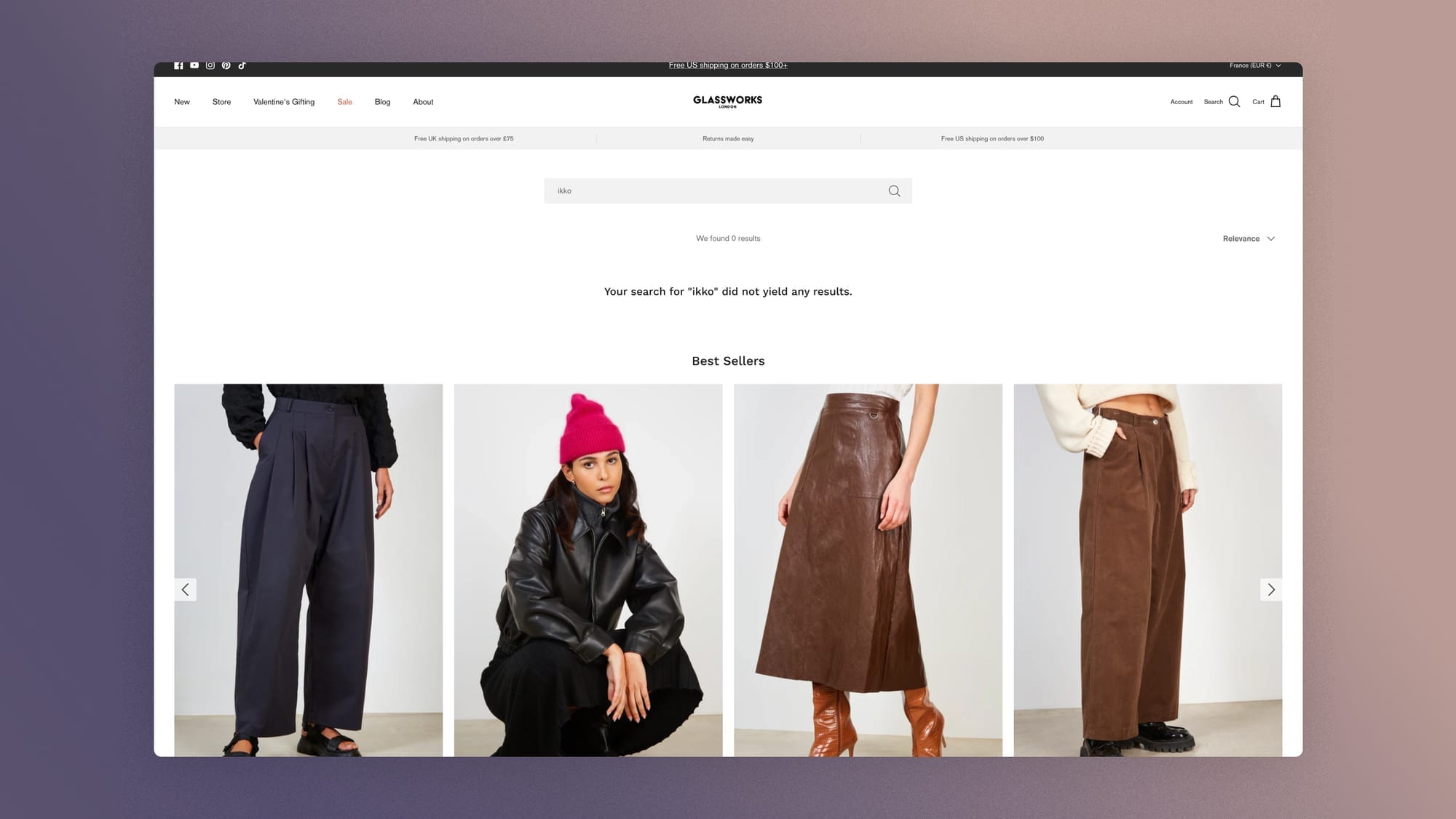
One last checkpoint closes the loop with the "notify me" pattern from earlier guides: on no-result queries that point to a category missing from the catalog, an email field ("notify me if it arrives") turns the dead end into a double asset.
For the shopper, it's a qualified lead based on stated intent. For the brand, it's quantified demand with a waiting list, the one assortment argument a buying team can't wave away.

The gold mine: the search terms report
Which brings us to the report almost nobody reads. Your search terms are the only data source on your site where customers write out, in their own words, exactly what they came to find. No click interpretation, no behavioral inference: verbatim intent.
Four metrics judge this area: the search usage rate (what share of sessions goes through the search bar), the search-to-product-page rate (the quality of the answers), the zero-result rate (your synonym and assortment debt), and the reformulation rate.
On the tracking side: the first two can be read natively in GA4 (view_search_results, then select_item). Zero results and top queries live in the Search & Discovery analytics tab and Shopify reports. Reformulation has to be rebuilt in a GA4 exploration (two consecutive search events with different terms). It's the only one of the four that takes some work, and it pays that work back.
It deserves a closer look, because it's the most subtle of the four. A query immediately followed by another isn't hesitation. It's a failed answer that won't admit it. The first query was the intent; the second is an adaptation to disappointment.
And segmented by term, this rate diagnoses what zero results can't see: a query that returns results but still triggers a reformulation means the answers exist and they're bad.
That's no longer a synonym problem, it's a relevance problem (boosts to review, descriptions to enrich, taxonomy to fix). The protocol fits in one line: every month, export the 30 queries that trigger the most reformulations. Each one is a named failure with its fix.
Beyond the rates, read the queries themselves once a month, the way you'd read customer messages. Four buckets structure the reading and map exactly onto the four metrics: queries with results and a purchase (what works, to protect), queries with results but no purchase (relevance or display to review), queries with no results (synonym or assortment), and reformulated queries (relevance hidden behind results). They tell you the words that should name your collections, the expected products that are missing, and the sizes and materials on shoppers' minds.
At a premium shirt brand we work with, the annual search terms report held its biggest discovery in a single word: "blouse." 621 searches over the year, the most-typed term on the site, nearly 16% of all volume, and only a 24.5% click rate.
The brand says "shirt" everywhere; its customers type "blouse," and the engine let three out of four walk away. The same report held a second confession: "soldes" and "sale," 31 searches, zero clicks, for lack of a simple redirect to the promotions page. Neither leak took more than an hour to plug. But someone had to read the report.
FAQ
Is site search useful for a small store?
Yes, once you have a few dozen products. Below that, navigating by collections is enough. Beyond it, having no search engine forces every precise intent into a browsing journey.
And even on a small catalog, the search terms report remains a source of customer intelligence nothing else replaces.
How do you reduce the zero-result rate?
Three actions, in order: turn on spelling correction, build a synonym dictionary from real queries (on Shopify, through the native Search & Discovery app), and turn the zero-result page into a bounce-back page with suggestions, related categories, and popular products.
At the same time, read the no-result queries every month: the ones that keep coming back point to either a missing synonym or a product shoppers expect.
Which metrics should you track for site search?
Four: the search usage rate, the rate of results leading to product pages, the zero-result rate, and the query reformulation rate.
The conversion rate of sessions with search, compared to sessions without, completes the picture and establishes the value of this area on your own data.
Get the complete checklist
The ten site search checkpoints, with their impact and cost scores, explanations, and visual examples, are part of the 194-point CRO checklist, available as a duplicable Notion database reserved for Conversion Club members.
 Jérémie Werner
Next guide in the series: the homepage, the storefront that has to answer two questions in three seconds.